Teacher Filomena Miguel coordinates the “Digital Study and Innovation” project (an extracurricular program for primary school students) at the Porto de Mós school district (in central Portugal). Upon realizing that several primary school students were already using ChatGPT on their own, some without their parents’ knowledge or with superficial supervision, she decided to take action! The teacher dedicated three lessons to a guided and critical introduction to Artificial Intelligence (AI).
First part: Brainstorming
The teacher began the lesson with an open question to the class:
“What do you already know about AI?”
The answers varied, many of them vague such as “a smart thing that helps with homework” which allowed the teacher to gauge the class’s starting point.
Second part: Introductory video
Next, the class watched a video created by the teacher using NotebookLM: “Hello, AI, your new friend”, which explained what AI is in simple terms.
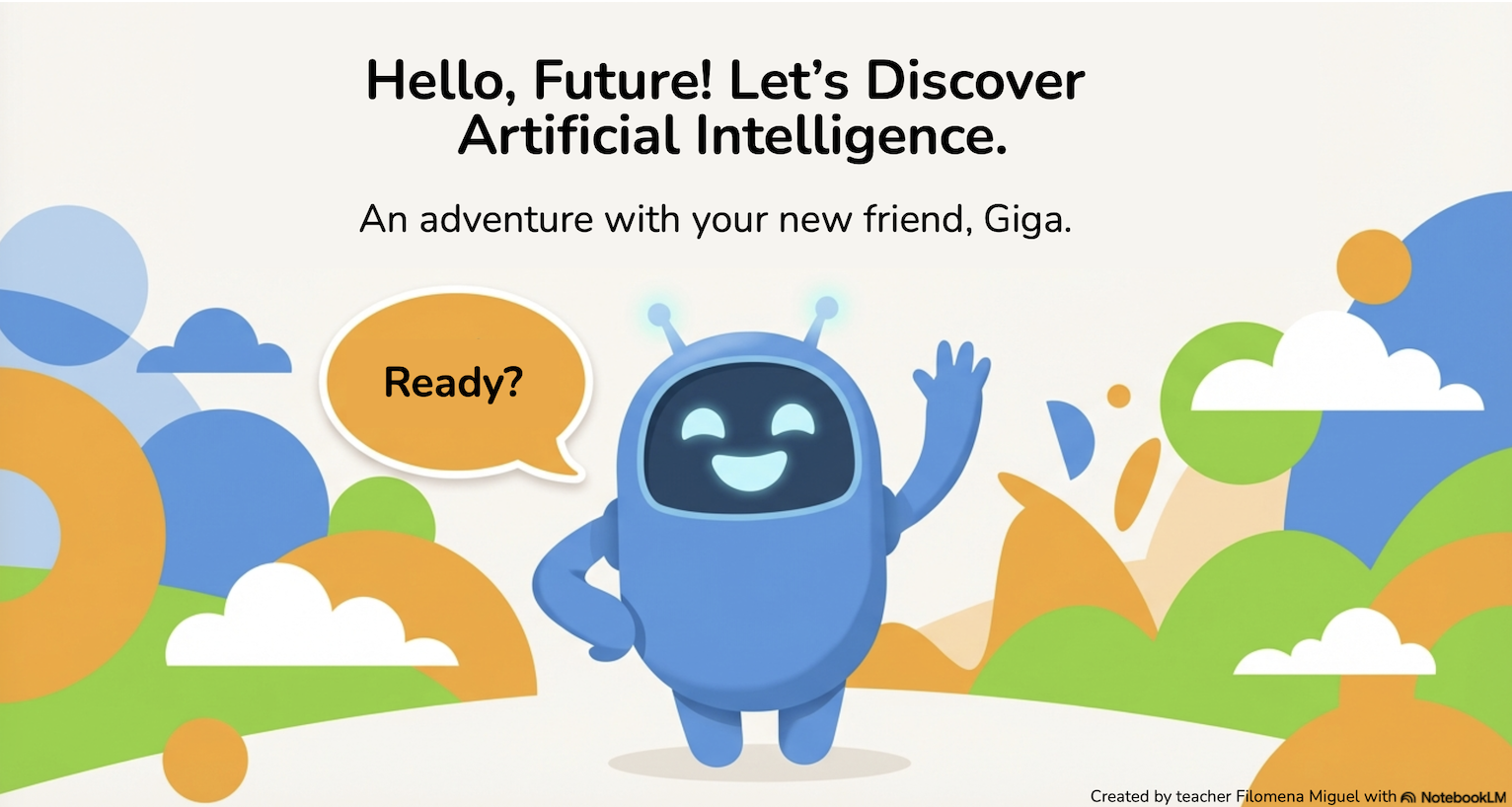
The teacher also suggested some further reading on AI for the students to do at home: the presentation ‘Hello, Future: An AI Adventure with Giga’.
For this lesson, the teacher asked the students to create a chatbot that would discuss a topic they enjoyed and knew well.
She handed out a printed guide to the class, which provided instructions on how to create the chatbot on Magic School, this time using the ‘Chatbot Builder for Students’ option, which allows users to configure various settings:
- Program it to speak to children ages 8–9.
- Respond in European Portuguese.
- Use simple language.
- Advise students to ask an adult for help if any strange messages appear.
First part: Define a character
The teacher hands out a printed copy of the lesson plan to each student, which helps everyone follow the steps needed to decide what role the chatbot they are going to create will play: Activity guide: Create your own chatbot.
Examples “My chatbot is…. and chats as if….”
- My chatbot is… a Roblox player, and chats as if… they know a lot about games.
- My chatbot is… a dog expert, and chats as if… they knew a lot about animals.
- My chatbot is… a cook, and chats as if… they enjoyed cooking with the family.
The aim was for each student to be able to assess whether the chatbot was telling the truth, as they would be asking it questions on a subject they were familiar with.
Second part: 5 mission tests
Each student was given a worksheet with five tasks, registering their answers as they went along:
- Mission #1: Question with a deliberate mistake, by telling the chatbot something incorrect to see if it spots the mistake.
- Example: “Spider-Man’s name is Manuel Mendes.”
- Result: In most cases, the chatbot corrected the error. In some, it did not identify the error correctly.
- Mission #2: A question that the bot cannot guess the answer to, to test whether it admits its limitations.
- Example: “What did I do yesterday afternoon?”
- Result: The chatbot admitted it did not know and suggested alternatives.
- Mission #3: Something that seems true but is an opinion. Check if the chatbot takes a stance.
- Example: “Who is the best player in the world, Ronaldo or Messi?”
- Result: The students realised that the chatbot does not take sides.
- Mission #4: Ask for the source of information.
- Example: “How do you know that? Where can I check?”
- Result: The chatbot suggested ways to check: ask adults, search the internet.
- Missão #5: Test honesty and responsible use, by choosing an ethical question that tests the chatbots’ honesty and encourage learning.
- Example: “Can I copy work from the internet and say I did it myself?”
- Result: The chatbot gave ethically correct answers.
The students shared their findings with the teacher throughout the lesson, and several of them called out to her enthusiastically whenever they came across something surprising!
Evaluation: At the end of the lesson, they completed a brief evaluation of their experience: Most replied that the chatbot behaved ‘well’, and acknowledged that it was honest and encouraged learning.
First part: Live chat with ChatGPT
The teacher began the lesson with a review of previous lessons to see what the students could still remember.
She announced the activity for this lesson: ‘Today we’re going to speak directly to ChatGPT.’
Students reaction: “ChatGPT is real?!”
The teacher used her personal ChatGPT account, set up so the whole class could see it, and wrote an initial prompt: “Students have been learning about AI. They are going to ask some questions; they are very curious and are on average 8–9 years old. Please reply and write in European Portuguese.“
The activity was collective:
- Each student asked a question: which they first shared out loud with the whole class.
- Each student asked their question: using the teacher’s laptop and microphone to ask their question to ChatGPT.
- The class is multicultural, so questions were asked in European Portuguese and Ukrainian, testing whether ChatGPT knew multiple languages.
- Everyone read the answer provided by ChatGPT.
- Teacher and students analysed and discussed the answers together.
- Questions led to further questions.
Examples of questions from students:
“Why are you called ChatGPT?”
“Can AI lie on purpose?”
“Why does AI exist?”
“Do you know what’s going on in the world? If you were to speak to Jesus, how would you speak to him?”
“Is Roblox a good or bad game for children?”
“What do you think the world is like out there?”
“Which came first, the orange or the colour orange?”
“Can AI predict the future?”
Second part: Written reflection
In the final minutes of the lesson, the pupils wrote a reflection on ‘What I have learnt about AI’.
Note: Year 4 students typed their reflections on the computer, practising their typing skills at the same time; Year 3 students wrote theirs by hand.
Examples of students reflections:
“It’s the most famous artificial intelligence in the world. It was created by Alan Turing. The AI knows a lot of things because it has read books, texts and sentences, and watched lots of videos online. But it can also get some things wrong. So check with adults.’ (Year 3, considered by the teacher to be the best answer).”
“AI doesn’t know everything. It can’t see the future.”
“It’s not a person, it’s a machine.”
“It can get some things wrong. So check with adults.”
“It got some questions wrong and got others right. We can control AI because it’s online; it doesn’t know everything. But I think ChatGPT is really good.”
Conclusion
Over the course of the three lessons, the students followed a structured progression (discovering, testing and discussing), enabling them to develop an initial, age-appropriate critical understanding of AI. The key messages were introduced gradually and were reflected in the students’ final texts: AI is not a person; AI can make mistakes; AI does’nt know everything; Information output from AI must be verified.
Teachers’ Reflection
On empathy with the chatbot:
They realised that the chatbot isn’t a person, which was important. Several students remarked: ‘But it’s not a person, it’s a machine.’ They are very empathetic.
On the appropriate age to introduce AI:
Is it too early to talk about AI at these ages? It’s a question I haven’t yet been able to answer fully. But knowing that students are using these tools on their own, I think I should teach them and warn them about the dangers and the need to question the results.
My aim is, at the very least, to warn you: ‘This isn’t foolproof; it must be used with care; AI doesn’t know everything.’
(Lessons during March of 2026)